
Exness MT4
● Step 1
Register
in minutes
● Step 2
Make
a deposit
● Step 3
Start
trading
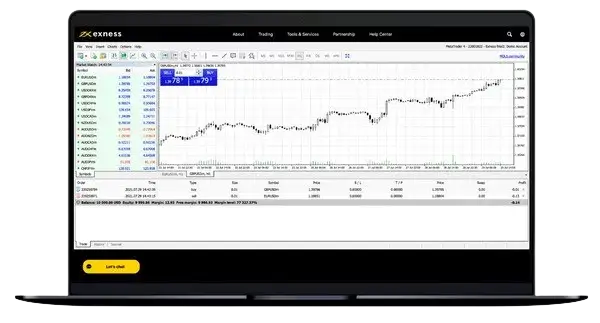
Introduction to Exness MetaTrader 4
Exness MT4 provides traders in Pakistan with access to a comprehensive trading platform designed for both beginners and experienced professionals. The platform combines powerful analytical tools, fast execution, and reliable performance to deliver an optimal trading experience across multiple devices.
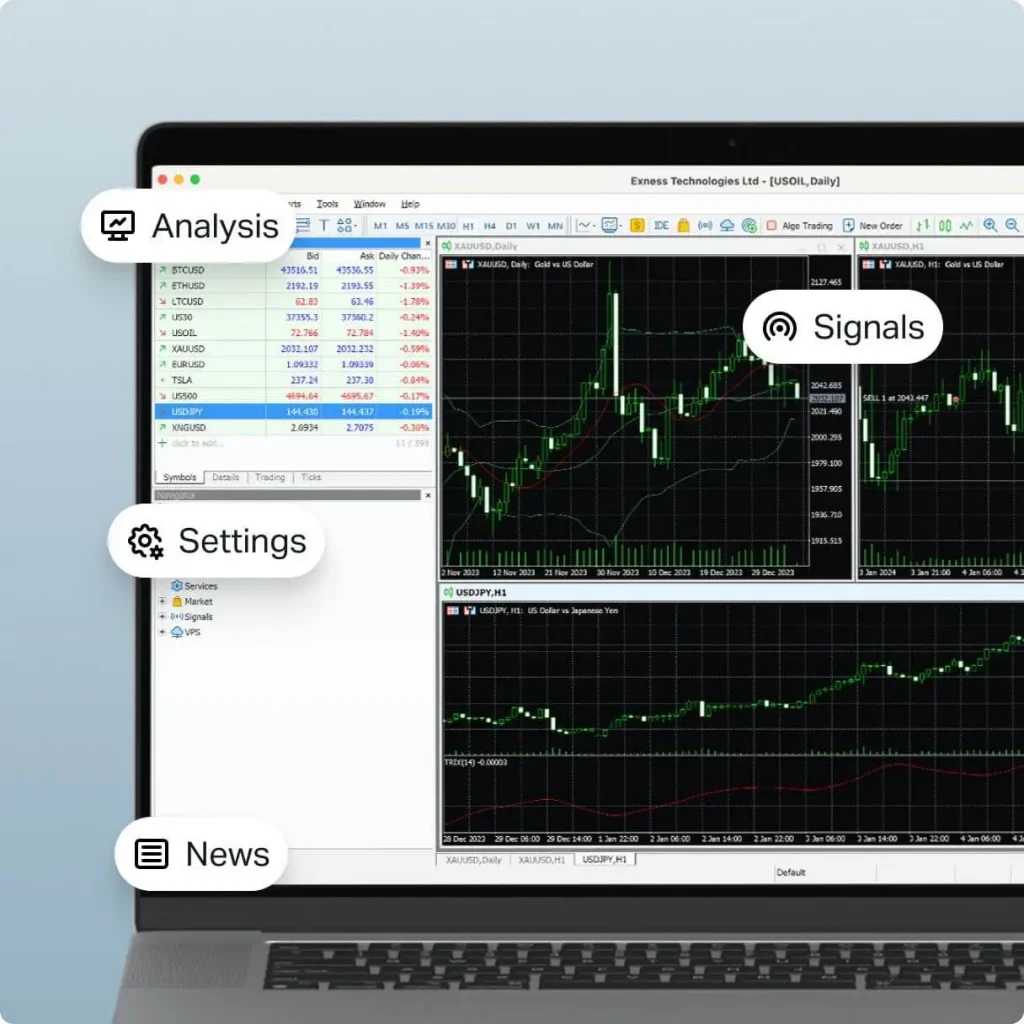
Key Benefits
- Instant and market execution options, with execution times depending on market conditions and connectivity
- Access to local and global payment options, subject to availability in the trader’s region and account
- 24/7 multilingual support through available Exness support channels
- Custom indicators and Expert Advisors
- Real-time market data and news feeds
Platform Overview
MetaTrader 4 from Exness offers traders in Pakistan access to global financial markets through a user-friendly interface. The platform supports multiple chart types, technical indicators, Expert Advisors, and trading signals. Exness MT4 supports trading CFDs on forex currency pairs, metals, cryptocurrencies, stocks, indices, and energies, with more than 200 instruments available. Traders can execute orders instantly while monitoring market movements in real-time.
System Requirements
Windows Requirements
- Operating System: Windows 7 or higher
- Processor: 1.5 GHz or faster
- RAM: 1 GB minimum (2 GB recommended)
- Free disk space: 1 GB
- Internet connection: 1 Mbps or faster
- Display resolution: 1024×768 or higher
Mobile Requirements
Android:
- Version 6.0 or higher
- 2 GB RAM minimum
- 100 MB free storage
iOS:
- iOS 11.0 or later
- Compatible with iPhone and iPad
- 150 MB free storage
Download and Installation Guide
Windows Installation Steps
- Visit the official Exness website
- Click “Download MT4” in the platforms section
- Run the downloaded installer
- Follow the installation wizard
- Launch MT4 and log in with your Exness credentials
Mobile Installation Process
For Android:
- Open Google Play Store
- Search “Exness MT4”
- Install the official application
- Launch and log in
For iOS:
- Visit App Store
- Search “MetaTrader 4”
- Download the official app
- Configure Exness server settings
Note: The Exness Trade app is compatible with MT5 accounts only; MT4 account holders are directed to the MT4 mobile app.
Features Comparison
| Feature | Windows MT4 | Mobile MT4 | Web MT4 | Web Terminal | MT5 |
| Charts Types | 9 types | 3 types | Basic | Advanced | 21 types |
| Technical Indicators | 30+ | 30 | Basic set | 100+ | 38+ |
| Custom Scripts | Yes | No | No | No | Yes |
| One-Click Trading | Yes | Yes | Yes | Yes | Yes |
| Market Depth | No | No | No | Yes | Yes |
| Economic Calendar | Yes | No | Yes | Yes | Yes |
| Time Frames | 9 | 9 | 9 | 7 | 21 |
| Fundamental Analysis | Basic | No | Yes | Yes | Advanced |
| Netting | No | No | No | No | Yes |
| Maximum Charts | Unlimited | 1 | 4 | 8 | Unlimited |
| Algorithmic Trading | Yes | No | No | No | Yes |
| Trading Automation | Full | Limited | No | No | Full |
| Strategy Tester | Yes | No | No | No | Yes |
Additional MT4 Information:
Trading Features:
- 2 execution modes: Instant Execution and Market Execution
- 6 pending order types: Buy Limit, Sell Limit, Buy Stop, Sell Stop, Buy Stop Limit, Sell Stop Limit
- Stop Loss and Take Profit for risk management
- Trailing Stop functionality
- Multiple order filling policies
- One-Click Trading option
- Complete trading history
- Detailed trade reports
Technical Analysis Tools:
- 9 timeframes from M1 to MN1
- More than 40 built-in customizable technical indicators
- 24 analytical objects
- Custom indicator creation via MQL4
- Multiple chart types: bars, candlesticks, line
- Object-oriented programming capabilities
- Advanced charting tools
The MT4 mobile app provides 3 chart types — bar charts, Japanese candlesticks, and broken line charts — along with an economic calendar and more than 40 built-in customizable indicators.
Trading Functions and Tools
Basic Trading Operations
Execute trades with instant order processing and minimal slippage. Monitor positions through a comprehensive trade management interface. Set stop-loss and take-profit levels with precision control
Technical Analysis Tools
Access over 40 built-in technical indicators and analytical objects. Create custom indicators using MQL4 programming language. Apply multiple timeframe analysis for better decision making.
Automated Trading Features
Implement Expert Advisors for automated trading strategies. Test trading robots using historical data. Create and modify custom indicators for unique market analysis.
Security Features
- 128-bit data encryption
- Two-factor authentication
- Secure login system
- Regular security updates
- Protected fund transfers
Common Issues and Solutions
- Login Problems
Issue: “Cannot connect to trade server”
Solution: Check internet connection, verify server settings, ensure correct login credentials. If problem persists, clear cache and restart platform. - Chart Display Issues
Issue: “Charts not updating in real-time”
Solution: Check internet speed, reload charts, verify data feed connection. Consider reducing number of open charts. - Order Execution
Issue: “Orders not executing at expected prices”
Solution: Check internet connection speed, verify adequate margin available, contact support for execution confirmation. - Mobile App Problems
Issue: “App crashes during trading”
Solution: Update to latest version, clear cache, ensure sufficient device memory. Reinstall if problems continue. - Expert Advisor Issues
Issue: “EA not working properly”
Solution: Verify EA compatibility, check journal for error messages, ensure automated trading is enabled. - Connection Problems
Issue: “Frequent disconnections”
Solution: Use stable internet connection, check firewall settings, verify server status.

For immediate assistance with MT4-related issues, traders can contact Exness support through:
- 24/7 live chat
- Email support
- Phone support across multiple languages
- Local office assistance
Exness MT4 delivers a robust trading experience for traders using the platform. Regular updates improve functionality and address user feedback. Strong security measures protect trading activities while maintaining convenient access to global markets.
The platform’s reliability and comprehensive feature set make it a strong choice for traders in Pakistan seeking professional-grade trading tools. With multilingual support and a wide range of payment options, Exness MT4 continues to serve as a trusted platform for trading success.